
The question to ask before you need it
Ask a business owner whether their website is backed up and the answer is nearly always yes. Ask what a restore would put back, how recent the copy is and where it lives, and most people have to stop and think. That is not carelessness. Backups are invisible while they work, and the day you find out whether yours are real is usually the day you need them.
That timing is what makes backups different from every other part of a website. A design can be redone late. Words can be rewritten, and a domain can usually be recovered. A backup cannot be arranged on the day it fails, so the questions that matter are the ones you ask while everything still works.
There are five of them: who runs the backups, how often they run, how far back the copies go, where the copies live, and whether anybody has ever restored one. Ask them of your host, your web designer, or whoever looks after the site now, and judge the answers before you need to act on them.
If you have read the small business website security checklist, item six on that list was the short version of this piece. What follows is the full version, with what mainstream hosts actually put in writing about their own backups, and what the UK's National Cyber Security Centre advises.
What your host actually keeps
Most owners assume the host's backup is a proper one, because hosting is billed monthly and backups are one of the things hosting is nominally for. The hosts' own words tend to be more cautious than the assumption.
HostGator's help centre article on backups states that its automatic backups are "provided as a courtesy and are not guaranteed". The same article says the service runs once a week on a random day, with each run overwriting the previous backups, that larger accounts are excluded, and that customers are responsible for their own backups. Customers with critical data, it adds, are strongly encouraged to use a third-party backup service.
On GoDaddy, BlogVault, a backup company that documents host backup policies, reports that cPanel web hosting plans keep about 1 day of automatic backup history, and Managed WordPress plans keep 30 days. That is a third-party writeup rather than GoDaddy's own page, so it is attributed here rather than presented as GoDaddy's word.
Neither host is being singled out for the worst policy, and plenty of hosts run better services, some of them paid extras. The point is what "the host does backups" can turn out to mean: a single recent copy, overwritten on a schedule, with no guarantee it exists on the day you ask for it. From the outside you cannot tell which kind you are paying for, which is why the five questions in the next section are worth putting in writing.
The five questions to ask today
These are written so they can be sent as one email, to a host's support desk, to the designer who built the site, or to whoever answers when something breaks. Each one has a plain-English answer, and a business owner is entitled to all five.
Who runs the backups? You, the host, a plugin, or nobody at all. If the answer is a person who left, or an agency you stopped paying, the backups may have stopped with them, which is worth learning now rather than later.
How often do they run? A site that changes, or takes enquiries through a form, loses everything that happened between copies, so daily suits it. A rarely changing brochure site can sit on weekly. The deciding question is how much work you can afford to lose, which is the framing Jetpack's frequency guidance uses.
How far back do the copies go? This is the question an overwritten weekly copy fails. If your site was quietly broken three weeks before anybody noticed, a host keeping about a day of history, as BlogVault documents for GoDaddy's cPanel plans, has nothing to restore you back to.
Where do the copies live? A copy stored on the server it is protecting can be destroyed by the same incident, and a copy inside an account you cannot reach is not much use either. The National Cyber Security Centre's rule, covered below, puts one copy somewhere the disaster cannot follow.
Has anybody ever restored one? This is the question that ends most conversations. A backup that has never been through a restore has never been proven to be a backup.
As one email, then: which of you runs the backups for my site, how often do they run, how far back do the copies go, where are they kept, and when did somebody last restore one to prove it works. If the answers come back wrong, or do not come back at all, web designer not responding? What to do is the recovery order, including what a rescue can and cannot save.
What the National Cyber Security Centre says
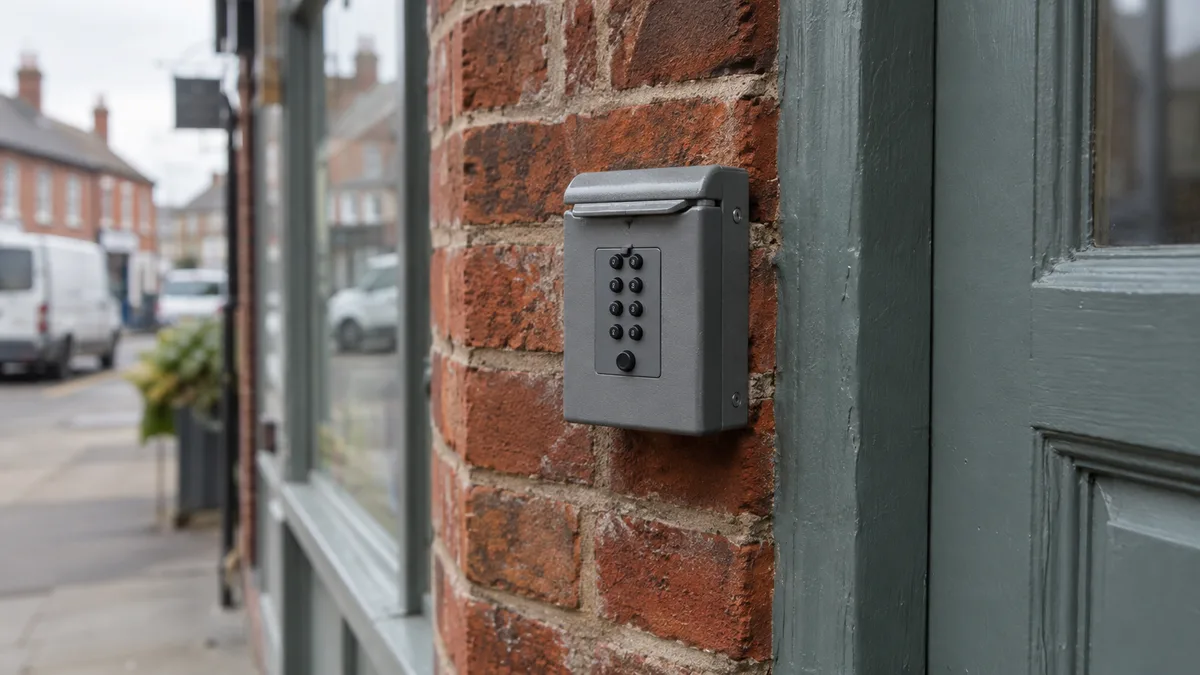
The UK's National Cyber Security Centre publishes backup advice aimed at organisations the size of yours, and at its centre sits a rule with a name: 3-2-1. Keep at least 3 copies of your data, on 2 different devices, with 1 offsite. The NCSC's publication on offline backups pairs the 3-2-1 rule with three more: the offline rule, at least one backup disconnected so an incident cannot reach all the copies at once; the recovery rule, check that backups are restorable; and the regular rule, back up frequently and test. A spare key in a wall-mounted safe is the same idea at street level: the fallback copy, kept somewhere else, behind its own lock.
For a small organisation, the NCSC's guide to backing up your data turns the rule into plain steps: back up to online storage or to external devices, create two copies, disconnect external drives when they are not in use because a drive left connected can be infected along with everything else, protect online backups with 2-step verification, and test that a restore actually works. The NCSC's response and recovery guidance adds the rhythm: a regular daily or weekly backup of essential information, with restoration tested regularly.
One note on where the rule came from. 3-2-1 was coined by Peter Krogh, an American photographer protecting his own photographs, in his book on digital asset management, and Computer Weekly's history of the rule traces how a photographer's habit became general advice. It is arithmetic about copies rather than a product anybody sells.
What a backup will not save
Backups live inside accounts: the hosting account, sometimes the registrar's, sometimes the dashboard of whoever built the site. If those accounts are not yours, the backup sits on borrowed ground. The copy can be perfect and still unreachable on the day it matters, because the person who controls the account is the person you are no longer on speaking terms with. Who owns your domain name runs the ownership check in full, and the same logic covers every account a backup lives inside.
A backup will also not save you from the wrong restore point. If the only copy is last night's, and the site was quietly broken three weeks before anybody noticed, restoring it puts the broken version back. What makes a restore useful, when you cannot tell when the problem started, is more copies reaching further back.
Backups also get attacked directly. The NCSC's guidance on ransomware-resistant backups notes that attackers often target backups early in a ransomware attack. The offline copy exists for this reason: a drive still connected to the machine can be encrypted along with everything else, which is why the NCSC's small business advice says to disconnect external drives when they are not in use.
The test, and what it costs to skip it
The NCSC's recovery rule says to check that backups are restorable, and the rhythm the guides converge on is monthly checks that the backups completed, and quarterly test restores to a separate environment, on TheHost.Cloud's strategy guide and YourWebteam's 2026 best practices list alike. As the latter puts it, "a backup you have never restored is a guess".
Do restores actually work when they are tried? The government's Cyber Security Breaches Survey 2025/2026 found 74% of UK businesses back up data securely via a cloud service. On the outcome side, Sophos's State of Ransomware in the UK 2026 found 78% of UK organisations whose data was encrypted used backups to recover it, up from 39% in the previous year's UK report, and only 18% paid a ransom and got data back, down from 54%.
The Sophos figures carry a caveat worth keeping attached. They come from a vendor survey of 120 UK organisations hit by ransomware, skewed towards larger organisations, so they describe the direction of travel rather than the everyday life of a five person business. The direction is still worth knowing: restores work often enough to be the plan, and paying the ransom rarely ends with the data back.
Since the person writing this sells hosting, our own figures belong here too. The website plan is £49 a month, VAT included, and includes hosting with daily backups and SSL. The care and hosting line is described as "Daily off-server backups, updates, monitoring and content changes done for you." Read those claims against the five questions exactly as you would read a host's, including the fifth, which asks whether a restore has actually been seen to work. The questions do not care who is being asked.
What to do next
Send the five questions in one email today, while the answers cost nothing: who runs the backups, how often they run, how far back the copies go, where the copies live, and when somebody last restored one. Good answers buy peace of mind for the price of a message. Wrong answers surface the cheapest serious problem a website can have, while it is still cheap to fix.
If the answers come back badly and you would rather the job were somebody else's, that is what a care plan is: the questions answered in advance, every day, without anybody having to remember to ask. The services page describes what that covers, or hand the five questions to somebody whose day job is the answers.
To grade what can be seen from outside in the meantime, the free security check runs in seconds. It grades the secure connection, security headers, email anti-spoofing and information leaks, but like any outside check it cannot see your backups, so the five questions above are still yours to ask.
The questions that come up
How often should I back up my website? Daily for a site that changes or takes enquiries, weekly for a rarely changing brochure site, and the deciding question is how much you can afford to lose. The NCSC's response and recovery guidance puts it as a regular daily or weekly backup of essential information.
Does my web host automatically back up my site? Many hosts do something, and what the something means varies more than the marketing suggests. HostGator's help article says its automatic backups run weekly, overwrite each other, and are not guaranteed, while BlogVault documents about a day of backup history on GoDaddy's cPanel plans. Ask which category yours falls into rather than assuming the good one.
What is the 3-2-1 backup rule? Keep at least 3 copies of your data, on 2 different devices, with 1 offsite. The NCSC publishes it as current advice, alongside the offline copy, the recovery check and frequent, tested backups.
How do I test a website backup? Ask for a restore to a separate environment rather than the live site, and make it a quarterly habit, with a monthly check that the backups are completing at all. If nobody can do that restore without a support ticket and a long wait, you have your answer to the fifth question.
Can ransomware infect my backups? Yes, and the NCSC notes that attackers often target backups early in a ransomware attack. That is why one copy should be offline rather than merely stored elsewhere, and why online copies are protected with 2-step verification.
Who is responsible for backing up a website, me or my host? In the end, you. HostGator's own help article says customers are responsible for their own backups and encourages anybody with critical data to use a third-party service. Whoever runs the backups day to day, the test is the same: can you get the site back, from a copy you can reach, to a point before the problem started.
The five questions are what a care plan answers in advance, every day, whether or not anybody thinks to ask. Care and hosting here includes daily off-server backups as standard.