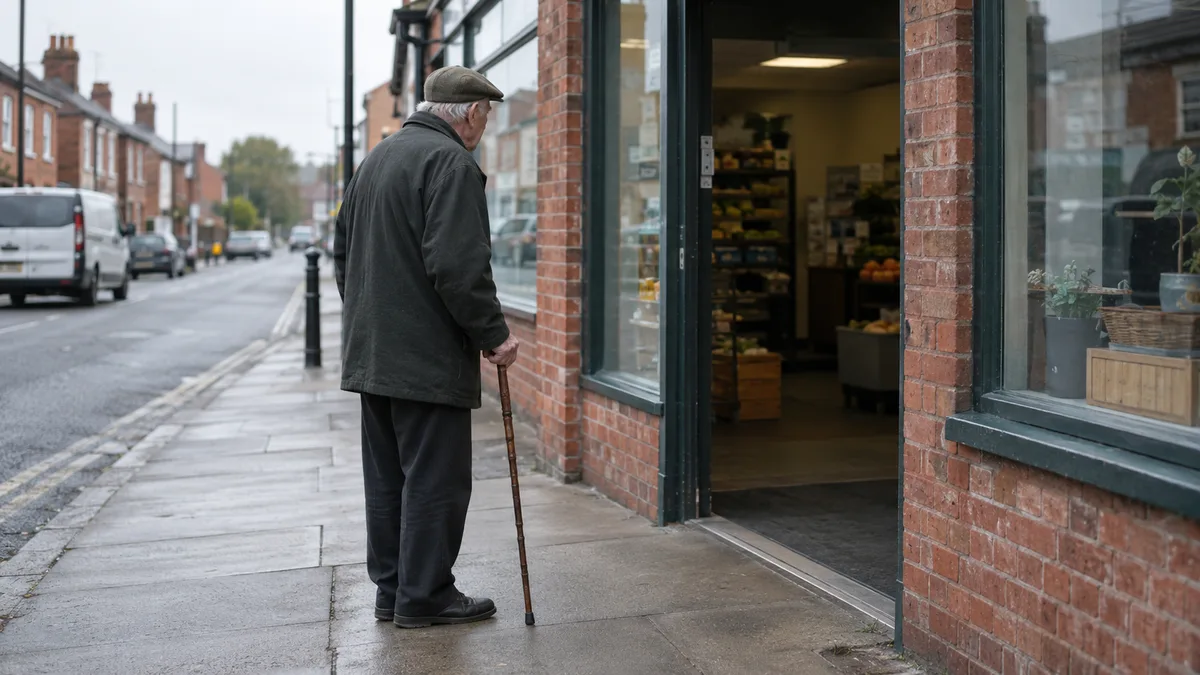
The customer you never see
Your website can look perfectly fine to you and still be hard to use for a large slice of the people who find it. They do not send an email about it, and they do not leave a review saying the text was too small or the buttons went unlabelled. They click away, and the business never learns they existed, which is the quietest way to lose a customer there is.
The slice is not small. The government's Family Resources Survey counted 16.7 million disabled people in the UK in 2024/25, 25% of the population, up from 12.9 million (20%) in 2014/15. A quarter of the market, disabled under the Equality Act definition, and every one of them a customer somebody else can serve more easily.
What happens when one of them reaches a website with barriers is well documented. The Click-Away Pound survey of 2019 found 69% of disabled internet users with access needs said they would click away from a website with barriers, more than 4.9 million people, and £17.1 billion of their annual spend went to whichever site had fewer barriers. They do not struggle on out of loyalty. They take the money to the competitor whose site lets them in.
And when they find a site that works, they spend with it. In the same survey series in 2016, 82% of customers with access needs said they would spend more with sites that were more accessible, and 81% said accessibility mattered more than price when deciding where to spend.
That is the business case in one paragraph. What follows is what the fixes actually are, what the law does and does not ask of a business your size, and how to check your own site this week without paying anybody anything.
What accessibility actually means on a real website
Strip the jargon away and accessibility is a short list of ordinary things done properly. Text dark enough to read against its background. A description attached to every image that carries meaning, so the software that reads a page aloud can describe it. Form fields that say what they want instead of leaving the customer to guess. A page that can be worked entirely from the keyboard, because not everybody uses a mouse. Text that survives being enlarged, because plenty of readers need it bigger.
None of that is exotic, and none of it is a product you buy. It is the same care that makes a site pleasant for everybody: the contrast that helps a screen reader user is the contrast a customer squinting at a phone in daylight needs, and the plain labels that help somebody fill in a form one-handed are the labels everybody else was quietly grateful for. The word sounds like a specialism. The work is mostly just building with care.
The same mistakes on almost every website
The proof that these are ordinary mistakes is how evenly they are spread. WebAIM runs an annual survey that machine-checks the home pages of the world's one million most visited websites, and in February 2026 it found 95.9% of them had detectable WCAG 2 failures, a reversal of six years of gradual improvement. This is not a small business problem or a DIY builder problem. Nearly every website on earth fails something.
The failures repeat year after year, and they are the same handful: low contrast text on 83.9% of pages, missing image alternative text on 53.1%, missing form input labels on 51%, empty links on 46.3%. An empty link is a link with no words in it, an icon button that says nothing about where it goes. Read the list again with your own site in mind. Four checks, and each one is free to fix: contrast is a colour choice, alternative text is a sentence per image, labels are words beside a field, and an empty link needs a few words saying where it goes.
Each of them also costs you customers who are not disabled at all. Low contrast text is hard for everybody on a phone in daylight, and a form that does not label its fields confuses everybody in a hurry. Search engines read a page much the way assistive technology does, from the words and the structure alone, which is why the accessibility work and the search work keep turning out to be the same work.
Some of this advice is already on this site under other names. The homepage checklist tells you to leave off anything that autoplays sound or movement, which is an accessibility rule even though it arrives there dressed as a taste rule. Accessibility is the proper name for that whole family of advice: the fixes that let a disabled customer use the site, and let everybody else use it faster.
The law in the UK, honestly
The Equality Act 2010 requires those providing services to the public to make reasonable adjustments for disabled people, and a website is treated as a service like any other. The duty applies to the way a service is delivered, and for most businesses now that delivery includes the website.
What the law does not do is nearly as important for a small business owner. There is no technical standard mandated for private companies, no certificate to buy and no inspector to satisfy. UK public sector bodies must meet WCAG 2.2 AA under the 2018 accessibility regulations; private companies face no equivalent mandate. The government's guidance for the public sector adds that all UK service providers still have the Equality Act duty to make reasonable adjustments, and WCAG 2.2 AA is the obvious published yardstick for a private business to work to. In plain terms: the public sector has a technical pass mark, and you have a duty to make reasonable effort.
One line on Europe, for anybody selling across it: the European Accessibility Act has applied across EU member states since 28 June 2025 and covers consumer services, including e-commerce, offered to EU customers wherever the business is registered. Micro-enterprises with fewer than 10 staff and under €2 million turnover are exempt for services, which describes most of the businesses reading this.
So the honest framing for a small business is this. The law expects effort in proportion to your size. The effort is mostly free. The payoff is customers rather than paperwork.
Who this actually helps, beyond disability
Scale the argument up and it stops being a minority question altogether. The W3C, the body that publishes the web's accessibility standards, sets out the business case plainly: at least one billion people, 15% of the world's population, have a recognised disability, and in countries where life expectancy exceeds 70 years, people spend about 11.5% of their lifespan living with a disability.
The same page names the situations that make the fixes matter to people with no disability at all: people on small screens, in bright sunlight, in noisy environments, or on slow connections. Anybody who has tried to read a website on the seafront in July has met the sunlight one. Anybody waiting on a village signal with two bars has met the slow one. The parent holding a child with one hand and shopping with the other is not disabled, and the site that assumes two hands and good eyes has lost them anyway.
The overlap runs deep enough that you have probably already cared about one branch of it without using the word. Speed is the same story: a site built light enough to survive a patchy rural connection is a site built well for everybody on it. Accessibility work, speed work and plain language are the same discipline wearing three names.
Checking your own site this week
You can get a long way with an hour, a laptop and no spending at all. The checks below are the first ones worth running, and each needs nothing but patience.
Put the mouse down and use only the keyboard. Tab through the home page and the contact page. Can you reach every link and button, can you always see where you are, and can you submit the form and land somewhere sensible?
Look at the pictures. For each one that means something, ask what somebody would know about it if they could not see it. A decorative image needs nothing. A photograph of your work needs a sentence that says what it shows.
Read the form. Every field should say what it wants in visible words beside it, not only as pale text inside the box that disappears the moment somebody starts typing.
Then two thirty-second ones. Turn the text size up a couple of notches and see whether the layout survives, and take the phone outside into daylight and see whether you can still read it.
One honest caveat goes with all of the above: free automated checkers exist, and they catch only part of the problem. A machine can see that an image carries a description. Only a person can tell whether the description is any good, so run the checks with your own hands before you trust a tool's clean bill of health.
What to do next
At Sutherland Cyber this is not a service bolted on to the website work; it is the website work. Every site built here is built to WCAG 2.2 level AA and checked against it before launch, and the accessibility statement commits to that in public, in much the same plain terms as this piece.
That is the standard applied to the web design done across Lincolnshire, for the village shops and the one-van trades as much as for anybody else, and it is part of what the services page describes: the contrast, the labels, the keyboard and the rest checked as part of the build rather than sold back to you later.
If you built or inherited the site yourself, the list in the mistakes section above is the work list, and most of it is an afternoon. Start there, check with your own hands, and only then decide whether you would rather it were done for you.
The questions that come up
Does my website legally have to be accessible in the UK? The Equality Act 2010 requires businesses providing services to the public to make reasonable adjustments for disabled people, and a website counts as a service. For a private business there is no mandated technical standard and no certificate: the legal test is reasonable effort, in proportion to the size of the business. This is the position explained, not legal advice; a specific dispute is a question for a solicitor.
Can a disabled customer take action against my business under the Equality Act? The Act puts the duty to make reasonable adjustments on service providers, and a website is treated as a service, so the duty covers yours. What action would look like in a particular case is a legal question this blog post cannot answer. The practical response is the same either way: find the barriers on your site and remove them.
What is WCAG 2.2 AA, and does it apply to private businesses? WCAG 2.2 AA is a published technical standard for web accessibility. UK public sector bodies must meet it under the 2018 accessibility regulations. Private companies face no equivalent mandate, but it is the obvious published yardstick for meeting the Equality Act duty, and it is the standard every site here is built against.
What are the most common accessibility problems on small business websites? The same ones WebAIM finds across the million biggest home pages: low contrast text, missing image alternative text, missing form input labels and empty links. None of them costs anything to fix, and all four make the site harder for every customer to use.
Does making my website accessible help it rank on Google? Accessibility is not a ranking factor Google publishes a score for, but the overlap is real. Search engines read a page much the way assistive technology does, from the words and the structure alone, and the W3C's business case cites the NPR and This American Life transcript project, where adding transcripts to radio stories coincided with search traffic up 6.86%, inbound links up 3.89% and unique visitors up 4.18%. The study is older, so treat it as directional rather than current.
Does the European Accessibility Act affect UK businesses? It has applied across EU member states since 28 June 2025 and covers consumer services, including e-commerce, offered to EU customers wherever the business is registered. Micro-enterprises with fewer than 10 staff and under €2 million turnover are exempt for services, so most small local firms selling into Europe sit outside it for now.
How much does it cost to make a small business website accessible? The failures that turn up everywhere cost nothing but care: contrast is a colour choice, image descriptions are sentences, form labels are words beside a field. What costs money is catching up on a site where the basics were missed at build time, which is why building it right is the cheap route. Every site here ships against WCAG 2.2 AA as standard.
Accessibility here is part of the build and the launch check, not an extra line on the quote.